CAREER SERVICES · UAE
CV PDF or Word for UAE Jobs? Choose the File the Employer Can Use
A practical file-format decision guide for job portals, recruiters and direct applications.
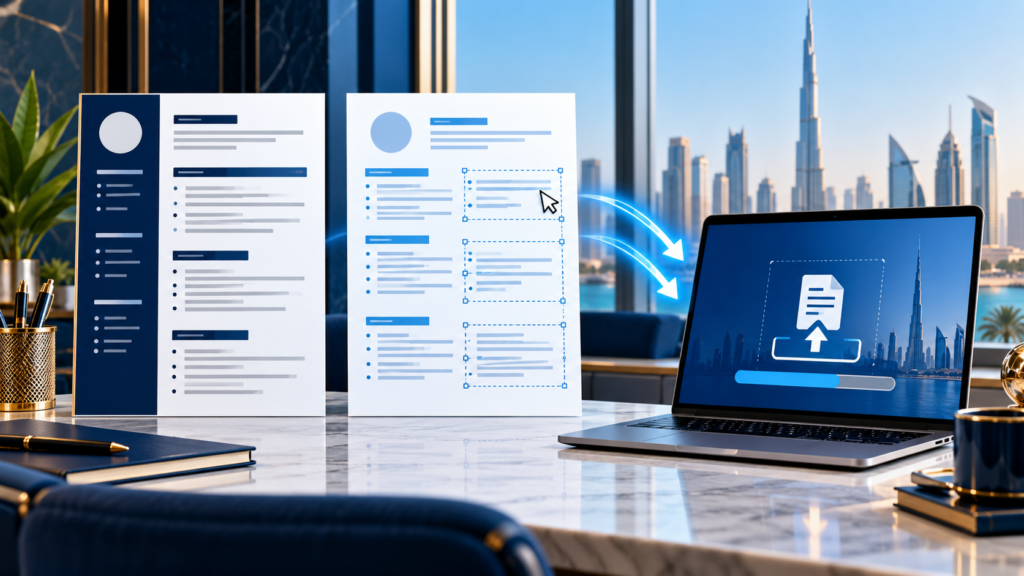
Follow the vacancy or application portal’s stated file type first. If both PDF and Word are accepted, keep an editable Word master and a text-selectable PDF export, then test the file you will actually upload. PDF usually preserves the page layout; Word may be requested for editing or an employer’s workflow. Neither format guarantees that an applicant tracking system will read a CV correctly. The content, structure and successful upload matter more than a universal PDF-versus-Word rule.
A UAE applicant may use several routes in one week: a government portal, LinkedIn Easy Apply, an employer site and an email to a recruiter. Those routes do not necessarily accept the same file or ask the same questions. LinkedIn’s current help page says its resume upload accepts Microsoft Word or PDF and recommends a file under 2 MB for that workflow. Dubai Careers’ FAQ explains that applicants upload a resume as part of their profile and complete a job-specific application. A specific vacancy may separately specify required documents and format. Check the current posting rather than projecting one rule onto every Dubai government job.
This guide focuses on preparing a readable file for submission. It does not claim that PDF is always ATS-safe, that Word always parses better or that a file-format choice can compensate for an irrelevant CV.
Use the instructions in front of you
| Application route | First action | File choice |
|---|---|---|
| Vacancy specifies PDF | Read size, page and naming rules | Upload the requested PDF, then confirm it opens correctly. |
| Vacancy specifies DOCX | Keep the document editable and inspect layout | Upload the requested Word file, not a renamed PDF. |
| Portal permits both | Test a complete upload and any extracted fields | Choose the file that displays and parses accurately for that portal. |
| Recruiter requests an editable copy | Check identity and purpose of the request | Send DOCX if appropriate, retaining your own final PDF record. |
| No format is stated | Check portal help or ask when practical | Use a clean, text-selectable PDF if accepted; keep DOCX ready. |
If an application form asks you to type employment history and upload a CV, complete the fields even when the attachment contains the same information. A successful file upload is not proof that every required field has been completed. Save the confirmation or check the portal’s submissions page.
What each format actually changes
A PDF normally preserves typography, spacing and page breaks across devices. That is useful when a hiring manager opens the file. But a PDF can be image-only, corrupted, password-protected or exported with text in an order that a parser reads badly. Test it by selecting and copying text in normal reading order. If selection fails, re-export from the source document rather than relying on a screenshot or scanned CV.
A DOCX file retains editable text and can be required by a recruiter or portal. It may reflow when opened in a different word-processing environment, especially if it uses floating boxes, unusual fonts or tight multi-column layouts. Reopen the saved copy on another device or in a standard viewer before submitting. Keep the original source document separate from the application-specific final version so last-minute edits do not alter a file already sent.
PDF check
Can you select text, search for a job title and read the page without missing characters?
DOCX check
Do dates, headings, bullets and page breaks remain intact when reopened?
Portal check
Does the chosen file upload, preview and populate any extracted fields correctly?
The design that looks best on screen is not always the one that survives a portal. Avoid embedding essential contact details only in a graphic or complex header. Use clear text labels for work history, education and skills.
Worked example: the same candidate, two submission routes
Fictional example. A project coordinator in Dubai has a two-page CV. She applies to a hypothetical government vacancy whose listing requests attachments in PDF. She exports a text-selectable PDF, checks the requested filename and confirms the upload and application fields. Later she applies through LinkedIn Easy Apply, which currently accepts PDF or Microsoft Word for resume upload according to its help page. She uses the same role-targeted content, checks the file size against the platform guidance and reviews the displayed application before sending. If a recruiter later asks for an editable document, she sends a clean DOCX after checking the request, without changing the claims or dates.
The lesson is not that the candidate needs three different CVs. She needs one truthful, role-targeted source document and tested exports for different submission routes. The employment evidence should remain consistent. Format is a delivery decision, while relevance is an editorial decision.
| Before submission | What to test | If it fails |
|---|---|---|
| Filename and file type | Matches the vacancy’s stated instruction | Export again in the specified type; do not just rename the extension. |
| Reading order | Copied PDF text follows headings and dates | Remove complex objects and rebuild the layout from plain text. |
| Upload | Portal accepts and displays the file | Check size, format and browser guidance; keep a second permitted format ready. |
| Extracted fields | Employer, role and dates are accurate | Correct form fields manually before submitting. |
File size, names and privacy
Follow the portal’s own size limit; LinkedIn’s under-2-MB recommendation is specific to its described resume-upload workflow. A high-resolution headshot or decorative background can increase size without adding job evidence. Compress or remove decorative assets before removing meaningful career detail. Check that links in the CV still work and that the email address and phone number are current.
Use a practical filename such as FirstName-LastName-Project-Coordinator-CV.pdf. Do not put passport numbers, Emirates ID numbers or unnecessary sensitive information in the filename. If an employer requests identification or certificates, supply them through the authorised application route and only when required. Treat CVs uploaded to public profile sections differently from private job-application attachments. LinkedIn’s help distinguishes a resume uploaded for job applications from a document displayed on a profile; the latter can be downloaded by viewers.
Keep a short log of which CV version went to which vacancy, the date and the format. That makes a recruiter call easier and prevents contradictory versions from circulating. If you update a qualification or job title later, do not silently rewrite the record of what you submitted earlier.
The final five-minute check
- Read the current vacancy and portal instructions for file type, size, filename and supporting documents.
- Open the exact final file on a second device or viewer; check page breaks, links and spelling.
- For PDF, select and copy a paragraph to check that it is real text in a sensible order.
- Upload the file and inspect any preview or extracted fields before submitting.
- Complete the application questions and keep the confirmation for your records.
A visually polished CV that does not show the vacancy’s required experience will still underperform. Labeeb’s skills-to-vacancy guide explains how to match truthful evidence to job criteria, while the Dubai CV format guide covers the broader document structure. Use this file-format check at the point of upload.
Sources checked: LinkedIn Help: upload your resume; Dubai Careers FAQ; the PDF-only vacancy in the worked example is fictional, not a current Dubai Careers posting.
Make the CV relevant before choosing the file
If your CV is difficult to scan, does not show evidence against the role or breaks when exported, Labeeb can review the document and scope professional CV writing or a consultation. Share the target vacancy and your truthful career history. We can help you prepare a clear source document and practical submission formats; we do not promise interviews or job placement.
 How to Follow Up After a Job Application in the UAE: Email and Timing
 How to Prepare for an Aramco Interview: Evidence, Technical Discussion and Safety
 Oman CV Format for Jobs: A Role-Matched Example and Application Check
 Skills for a UAE CV: Match the Vacancy and Prove Each Claim